How Do QR Codes Work? The Squares That Store Links and Text
A QR code stores data as a grid of black and white squares. What the corner squares do, how damaged codes still work and where QR codes came from.
Short answer
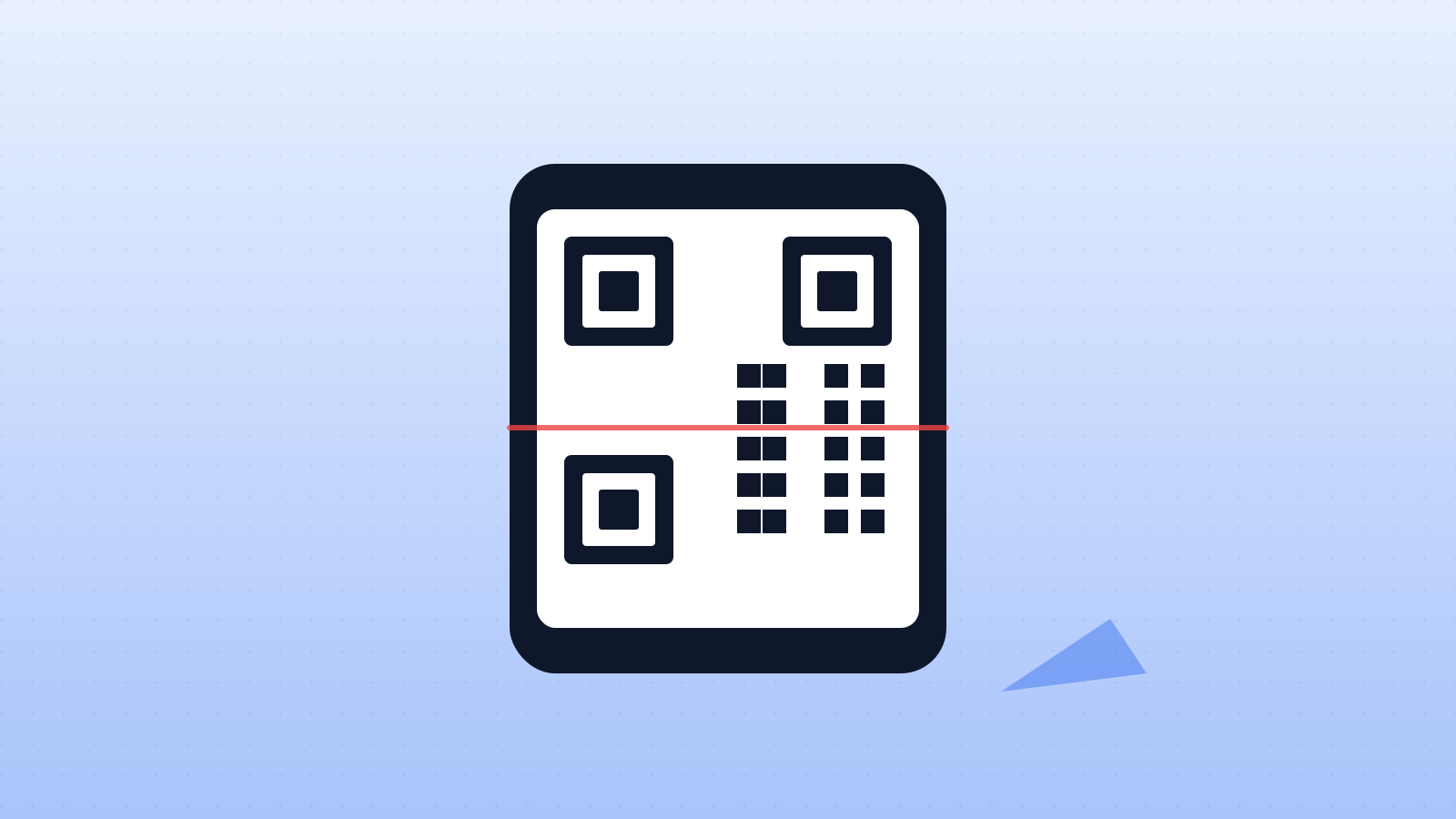
A QR code stores information as a grid of tiny black and white squares called modules, each representing a binary 0 or 1. Three large squares in the corners let a camera find the code instantly from any angle and work out its orientation, while timing patterns mark out the grid. Your phone photographs the code, maps the grid, reads the pattern of modules and decodes it into text, a web link or numbers. QR codes also contain error-correction data, so at the highest level they can still be read even if up to 30% of the code is damaged or covered. They were invented in Japan in 1994 to track car parts.
In this article (6)
They are on restaurant menus, train tickets, parcels, posters and payment terminals. Point your phone camera at one of these pixelated squares and, in a fraction of a second, a link or a message appears. A QR code looks like random noise, yet every square has a job.
Born in a car factory
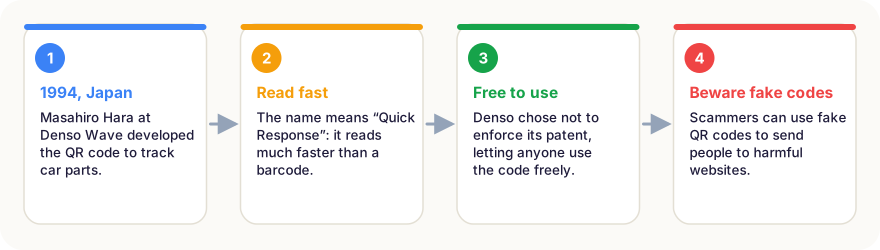
In the early 1990s, Japanese car factories used traditional barcodes to track parts. But a barcode stores only about 20 characters, and workers had to scan many labels per box. In 1994, engineer Masahiro Hara at Denso Wave, part of the Toyota group, developed a two-dimensional code that could hold far more data and be read very quickly. He called it QR, for Quick Response.
Crucially, Denso decided not to enforce its patent, letting anyone use and create QR codes freely. That openness, along with phone cameras capable of reading them, helped QR codes spread around the world, and their use exploded during the COVID-19 pandemic for contactless menus and check-ins.
The anatomy of a QR code
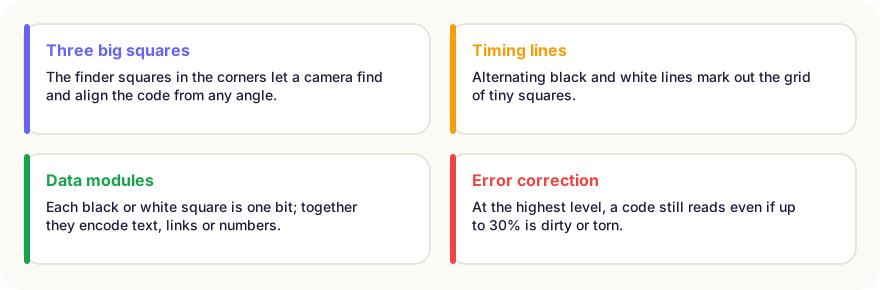
- Finder patterns: the three large squares in the corners. Their pattern of nested squares is easy for software to spot in any image, and their positions tell the reader which way up the code is. Because there are only three, the empty fourth corner shows the orientation.
- Timing patterns: lines of alternating black and white modules between the finder squares. They let the reader work out the size of the grid and the position of every module, even if the code is slightly distorted.
- Alignment patterns: smaller squares, in larger codes, that help correct for curved or tilted surfaces.
- Data modules: the rest of the grid. Each module is one bit: dark for 1, light for 0. Groups of bits encode numbers, letters, symbols or Japanese characters.
- Quiet zone: the blank border around the code, which separates it from surrounding text and images.
Reading a code
When you point your camera at a QR code, software in the phone looks for the three finder patterns, straightens the image, maps the grid, reads each module as a 0 or 1, and decodes the result. If the data is a web address, the phone offers to open it.
Error correction: why damaged codes still work
QR codes include extra data calculated with Reed–Solomon error correction, the same mathematics used on CDs and in deep-space communication. There are four levels. At the highest, level H, up to 30% of the code can be dirty, torn or covered and it can still be read. That is why designers can place logos in the middle of QR codes.
Be careful what you scan
A QR code is just data; it cannot hack your phone on its own. But it can send you to a fake website. Scammers sometimes stick false codes over real ones on parking meters or posters, a trick called “quishing”. Before entering passwords or payment details, check that the web address is the one you expect.
In short
- QR codes store data as a grid of black and white modules, each a binary bit.
- Three finder squares let cameras locate the code and its orientation instantly.
- Timing and alignment patterns help map the grid, even on curved surfaces.
- Error correction lets codes work even with up to 30% damaged.
- They were invented in 1994 by Masahiro Hara at Denso Wave to track car parts.
- Always check the web address before entering personal or payment details.
Frequently asked questions
Why are QR codes square?
A square grid stores data in two directions, horizontal and vertical, so it holds far more than a one-dimensional barcode, which stores data only in a row of lines.
Can QR codes be dangerous?
The code itself cannot harm your phone, but it can link to a fake or malicious website. Scammers sometimes stick fake QR codes over real ones, for example on parking meters. Check the web address before entering any personal or payment details.
Do QR codes expire?
A standard QR code never expires; it simply contains data. But if it links to a web page or a “dynamic” redirect service that stops working, the code will lead nowhere.
Why can logos be placed in the middle of QR codes?
Thanks to error correction. A logo covering part of the code is treated like damage, and the missing data is reconstructed from the error-correction information.
Sources
This article is based on peer-reviewed research and publications from trusted institutions, and it is reviewed regularly. How we work →
You might also wonder
All in How Things Work →
How Do Aeroplanes Fly? Lift, Wings and a Famous Myth
A jumbo jet weighs hundreds of tonnes, yet stays in the air. How wings create lift, the four forces of flight, and why a popular explanation is wrong.

How Do Touchscreens Work? Why Your Finger Works and Gloves Don’t
Phone screens sense your finger through an invisible electrical grid. How capacitive and resistive touchscreens work, how multi-touch works and why gloves fail.

How Does GPS Work? Satellites, Atomic Clocks and Einstein
Your phone finds its position from satellites 20,000 km away. How GPS uses signal timing, why it needs four satellites and why Einstein’s relativity matters.
How Do Solar Panels Work? Turning Sunlight Into Electricity
Solar panels use the photovoltaic effect: light frees electrons in silicon, and an electric field turns them into a current. How efficient are they?
How Does Noise Cancelling Work? Fighting Sound With Anti-Sound
Noise-cancelling headphones record outside noise and play its exact opposite, so the two waves cancel out. Why it silences engine hum but not voices.
How Do Rechargeable Batteries Work? Inside a Lithium-Ion Battery
Your phone’s battery moves lithium ions back and forth between two layers. How charging works, why batteries wear out and the habits that make them last longer.